Week and Day
Your classes on a pixel week, or one day in detail.
Share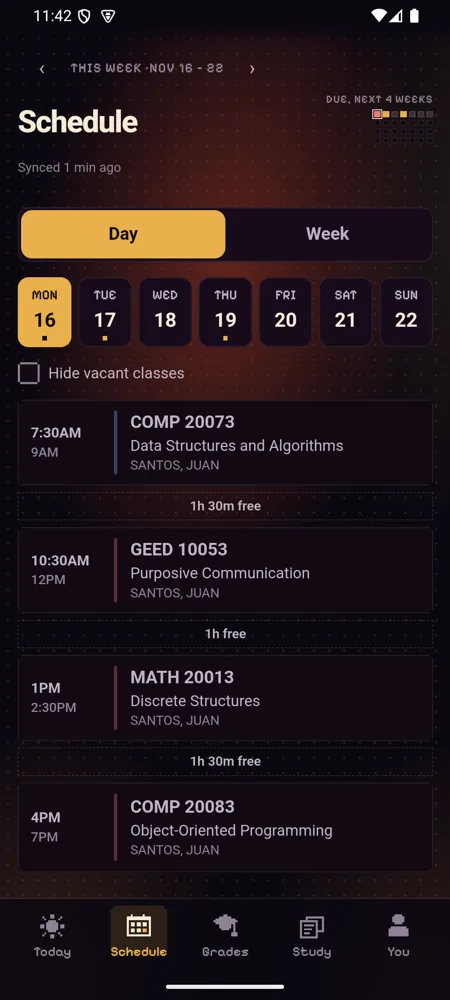
Week shows your classes on a grid with a line at the current time. Day lists one day with the free time between classes.
Tap a day to open it, swipe between days and weeks, and the little map at the top shows what's due over the next four weeks.
How to use it
- Open Schedule.
- Pick Day or Week.
- Swipe or use the arrows to move between weeks.
Have it on your phone
Free, with no IntPortal account. Your login only goes to your school.
How it's meant to work, criterion by criterion: spec 044.